accessoriesComparisons
Best guitar tuner: our 2026 comparison
Pedal or clip-on? TC PolyTune 3, Boss TU-3, PolyTune Clip and D'Addario NS Micro compared: our pick for every use, from the stage to the sofa.
Free chromatic tuner that listens to your guitar through the microphone: note name, offset in cents, standard, drop D, DADGAD, open tunings, 7-string, bass and adjustable pitch reference.
—
Listening…
The reference tones let you tune by ear: play the tone for a string, then the string itself, and make the beating disappear. The pitch reference can be set from 415 to 466 Hz, with shortcuts for 432, 440 and 442 Hz. Leave it at 440 Hz unless you have a specific reason to change it.
This tuner analyses the signal from your device’s microphone. Its accuracy therefore depends on that microphone and on background noise: in a quiet room with a recent laptop, the reading is stable to within a cent; in a rehearsal room or with a cheap microphone, it becomes erratic, especially on the low E and on bass.
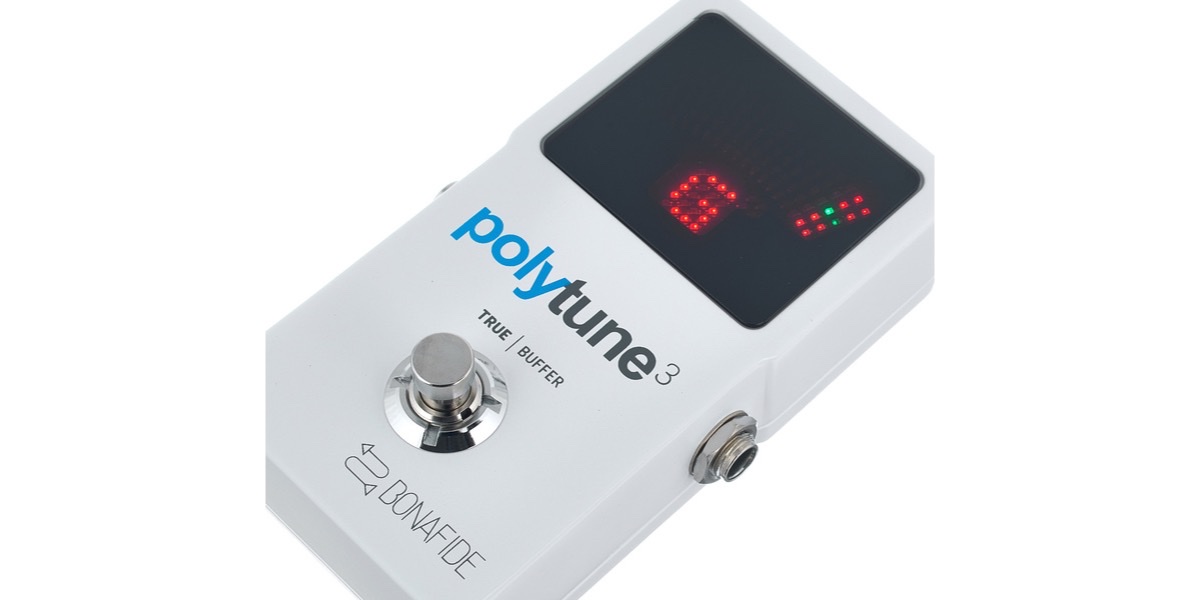
It does not replace a clip-on tuner, which reads the vibration of the wood and ignores noise, or a tuner pedal, which mutes the signal and reads the guitar’s output directly. In a band, at rehearsal and on stage, one or the other remains essential. Our guitar tuner comparison and the TC Electronic PolyTune 3 review show what you gain by spending the money.
Finally, the tool does not do polyphonic tuning: it reads one string at a time. Strum all six strings together and it will return a mess of notes.
Yes. The microphone on your computer or phone picks up the sound of the body directly. Stay 30 to 50 cm from the microphone, in a quiet room, and pluck the open string firmly. An unplugged electric guitar works too, but the signal is weaker: move closer to the microphone.
A string that has just been struck is rich in harmonics and slightly sharp for the first second. Let the note settle before reading the needle, mute the other strings with your palm and play more softly. If it stays unstable, background noise or a poor microphone is usually the cause.
440 Hz is the near-universal reference: recordings, bands, orchestras and fixed-pitch instruments such as the piano all use it. 432 Hz is only useful if you play with musicians who have made that choice, and 442 Hz appears in some orchestras. When in doubt, stay at 440 Hz.
It is a classic detection issue on low strings: the microphone picks up the second or third harmonic more strongly than the fundamental. Pluck the string more gently, around the 12th fret, or lock the target string to force the tuner to compare against the right note.
No. The analysis runs entirely in your browser and no audio leaves your device. The browser asks for microphone permission each time you enable it, and you can revoke it at any time in its settings. The page must be served over HTTPS for the microphone to be available.
Last updated: 11 September 2026
Our reviews, comparisons and guides related to this tool.
Pedal or clip-on? TC PolyTune 3, Boss TU-3, PolyTune Clip and D'Addario NS Micro compared: our pick for every use, from the stage to the sofa.
TC Electronic
Tuner, plectrums, strap, stand, care kit: the complete list of accessories that are genuinely useful when you start guitar, the ones that can wait, and the budget to plan for.